This guide shows you how to highlight special products with custom image badges
Overview: Custom Image Badges
An Enhanced Special Messages Feature
You can now attach custom image badges to your product tiles using Buddi’s Special Messages feature! This enhancement makes it easier than ever to showcase Craft products, premium selections, and local partnerships - directly on your menu.
Why Use Image Badges?
Several clients asked for a way to showcase their Craft Cannabis products, so we've enhanced Special Messages to make this happen. You can now attach custom images ("Craft" label or any other badge) directly to your product tiles.
Use this feature to:
Promote provincially grown, small-batch or organic items (examples)
Apply your own branded labels
Draw attention to product features in a clean, visual way
Pair with our standard Special Messages (captions)!
The badge can be any image (under 1MB), which appears in the top-left of the product tile:
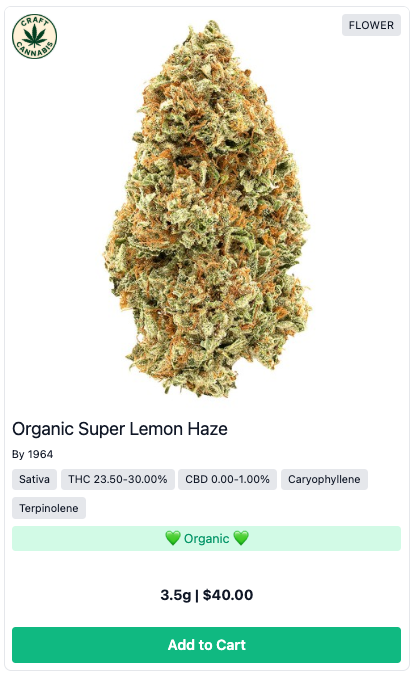
Image Badge Examples
(feel free to download/use!)


How to Add an Image Badge
Sign into the Admin Portal
Go to Promotions > Special Messages > click New Special Message
Choose where it applies:
All Products
A Specific Collection (recommended)
Specific Products
Under Content Type, select Image and upload your custom badge.
Max size: 1MB
Formats: PNG, JPG
Dimensions: 75x75px recommended
Optional: Set a date range or time frame for the badge to appear.
Click Save.
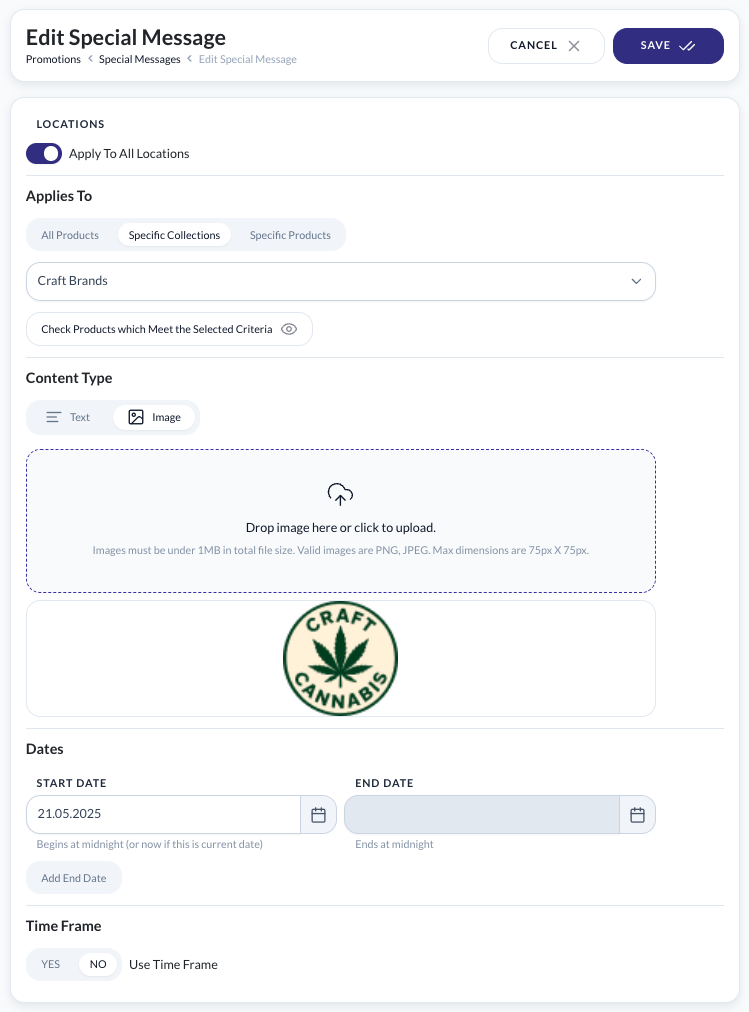
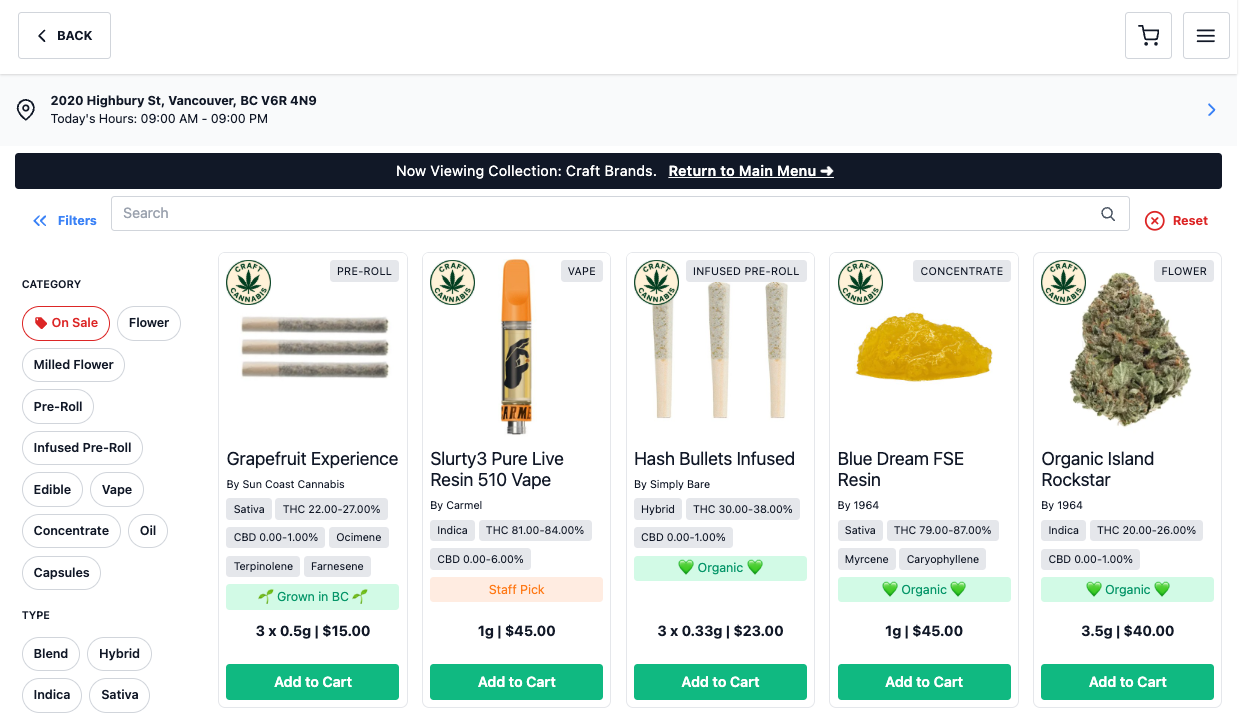
The two screenshots below show a Craft Cannabis badge applied to a Craft Brands Collection:
In the Promotions > Special Messages UI:
Within the Craft Brands Collection, front-end online menu:
Was this article helpful?
That’s Great!
Thank you for your feedback
Sorry! We couldn't be helpful
Thank you for your feedback
Feedback sent
We appreciate your effort and will try to fix the article