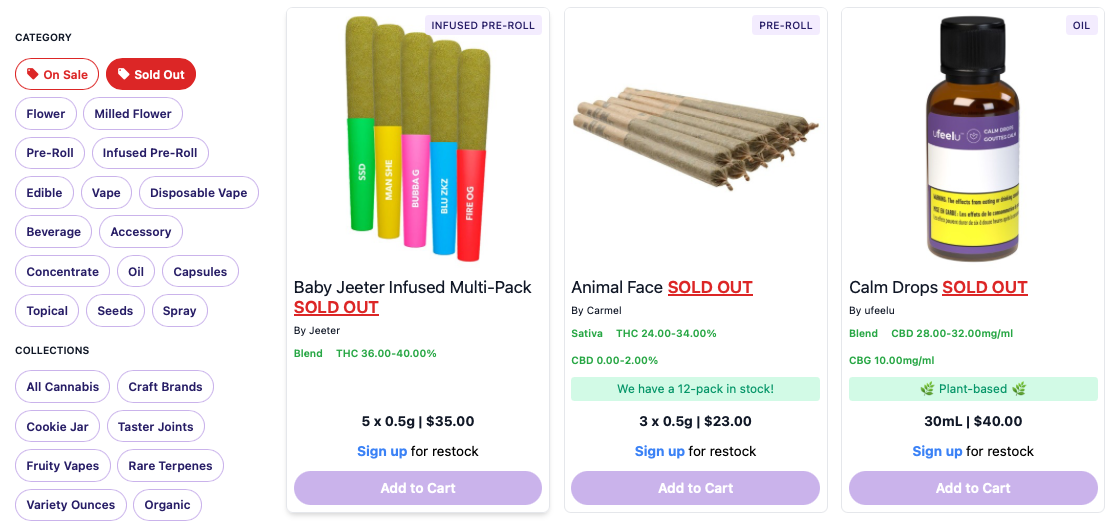
The 'Sold Out' Filter lets customers browse out-of-stock products and sign up to be notified when they're available again.
Overview: 'Sold Out' Filter
The 'Sold Out' filter allows customers to browse products that are currently out of stock and sign up for restock notifications. The filter is displayed by default on both the Embedded Menu and Kiosk, but retailers can choose to hide it.
Why keep the 'Sold Out' Filter enabled?
- Customers can browse products even when they're temporarily unavailable.
- Customers can sign up for restock notifications.
- Retailers can gauge interest in sold-out products.
Using Buddi Sites?

We recommend keeping the 'Sold Out' filter enabled. Keeping sold-out products available on your website allows their product pages to remain accessible to search engines for crawling and indexing, which will greatly support your site's SEO over time.
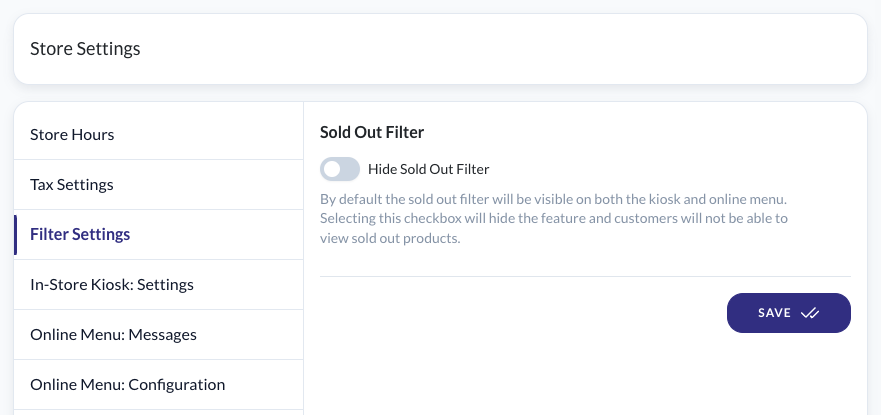
How to show or hide the 'Sold Out' Filter:
- Log in to the Admin Portal (as an admin user).
- Go to Store Settings > Filter Settings
- Find 'Hide Sold Out Filter'
- Leave the toggle OFF to display the 'Sold Out' filter, or
Toggle ON to hide it. - Hit 'Save'.
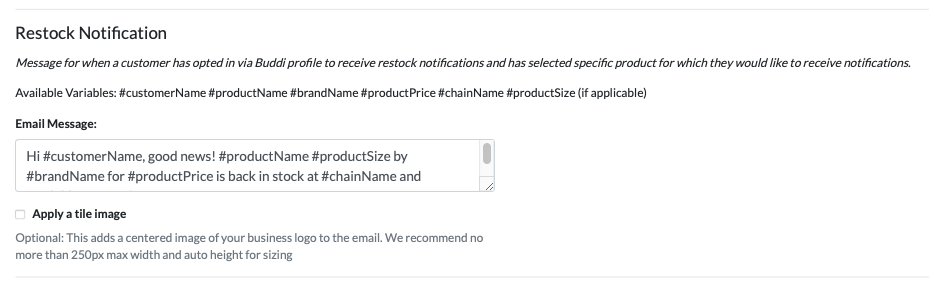
Customizing the Restock Notification
You can customize the message sent to customers when they sign up for restock notifications. This is found in the Admin Portal > Store Settings > Online Menu: Messages.
Article: Customer Notifications
Best Practice:
- Keep your stock numbers up-to-date in the POS to ensure the 'Sold Out' filter reflects accurate product availability.
- Communicate estimated restock times to manage customer expectations and reduce inquiries about out-of-stock items.
- Recommended for Buddi Sites: Keep your 'Sold Out' filter enabled so product pages remain available when inventory reaches zero. This will greatly increase traffic to your site.
Was this article helpful?
That’s Great!
Thank you for your feedback
Sorry! We couldn't be helpful
Thank you for your feedback
Feedback sent
We appreciate your effort and will try to fix the article