Learn how to display terpene content on product tiles and within the listing
Overview
Buddi allows retailers to display terpene information directly on product listings in the front‑end menu. This includes:
Overall terpene percentage (e.g. 6.3% total terpenes); and/or
A list of detected terpenes (e.g. Humulene, Limonene, Myrcene)
NOTE: Buddi typically displays terpene names (for example, Myrcene, Limonene, Linalool) when this information is available. We generally do not enter specific terpene percentages, as terpene composition can vary from batch to batch and does not sync automatically from POS systems.

Retailers who want to update a product’s terpene list or display batch-specific terpene percentages can edit the product directly in 'My Menu'. To show terpene %, the values must be entered and the display option enabled within the listing.
Where Terpene Content Appears on the Menu
See screenshots below for a demonstration
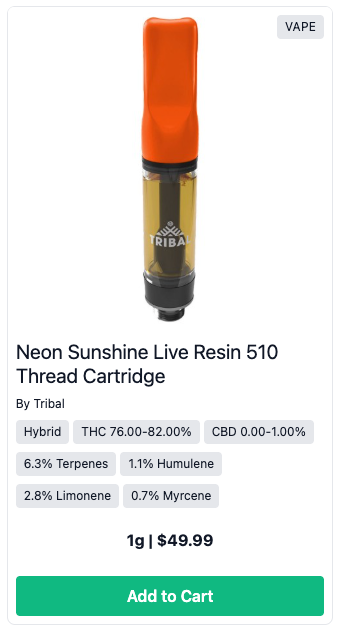
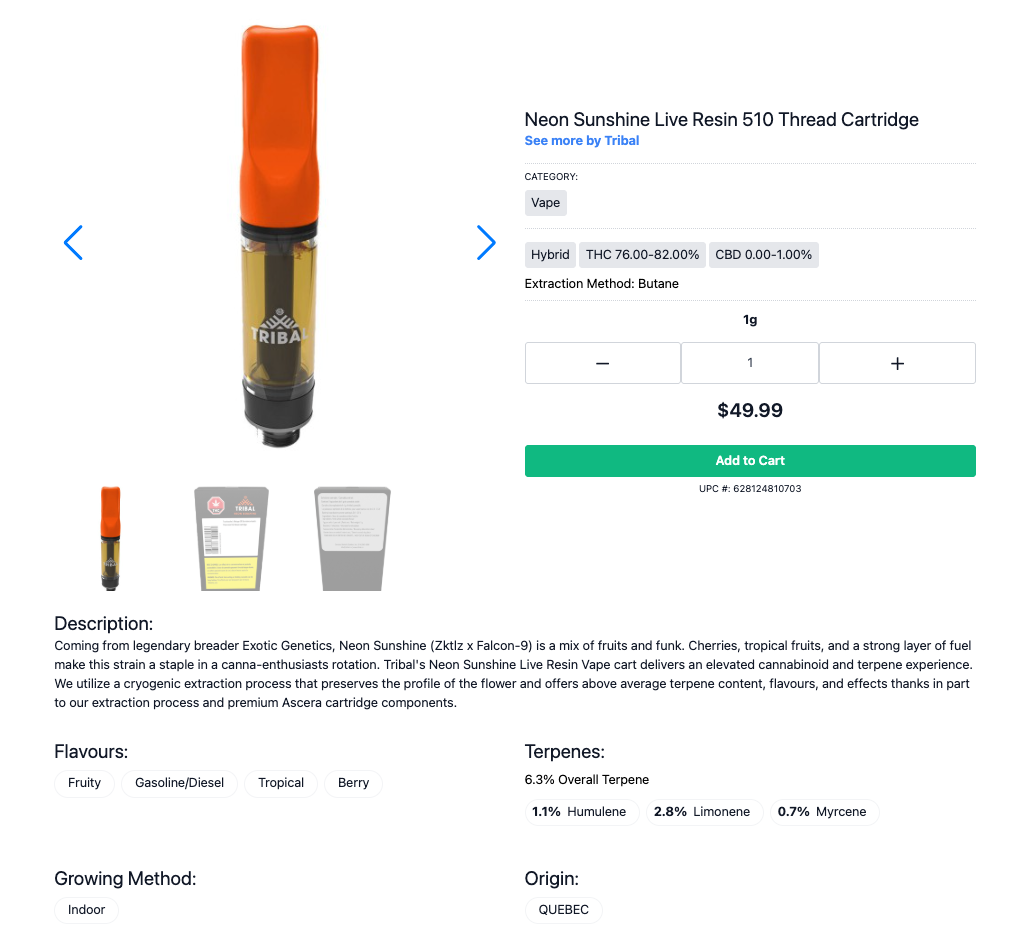
When configured correctly, specific terpene percentages display:
- On the front-end menu listing; and
- Inside the product detail view of the menu listing (alongside other product attributes such as Description, Flavours, Growing Method, etc.)
Instructions: How to Display Terpene % on a Product Listing
- Open the product in 'My Menu':
- Log in to your Buddi Admin Portal
- Go to 'My Menu'
- Search for and select the product you want to update.
- Enter terpene information within the product editor:
- Scroll down to the Terpenes section
- Optional: Add individual terpene names (e.g. Humulene, Limonene, Myrcene) in the 'TERPENES' field
- Optional: Enter the individual terpene percentages by toggling on “Show product terpene % to viewers”
- Optional: Enter the overall terpene percentage (e.g. 6.3) in the 'OVERALL TERPENE' field
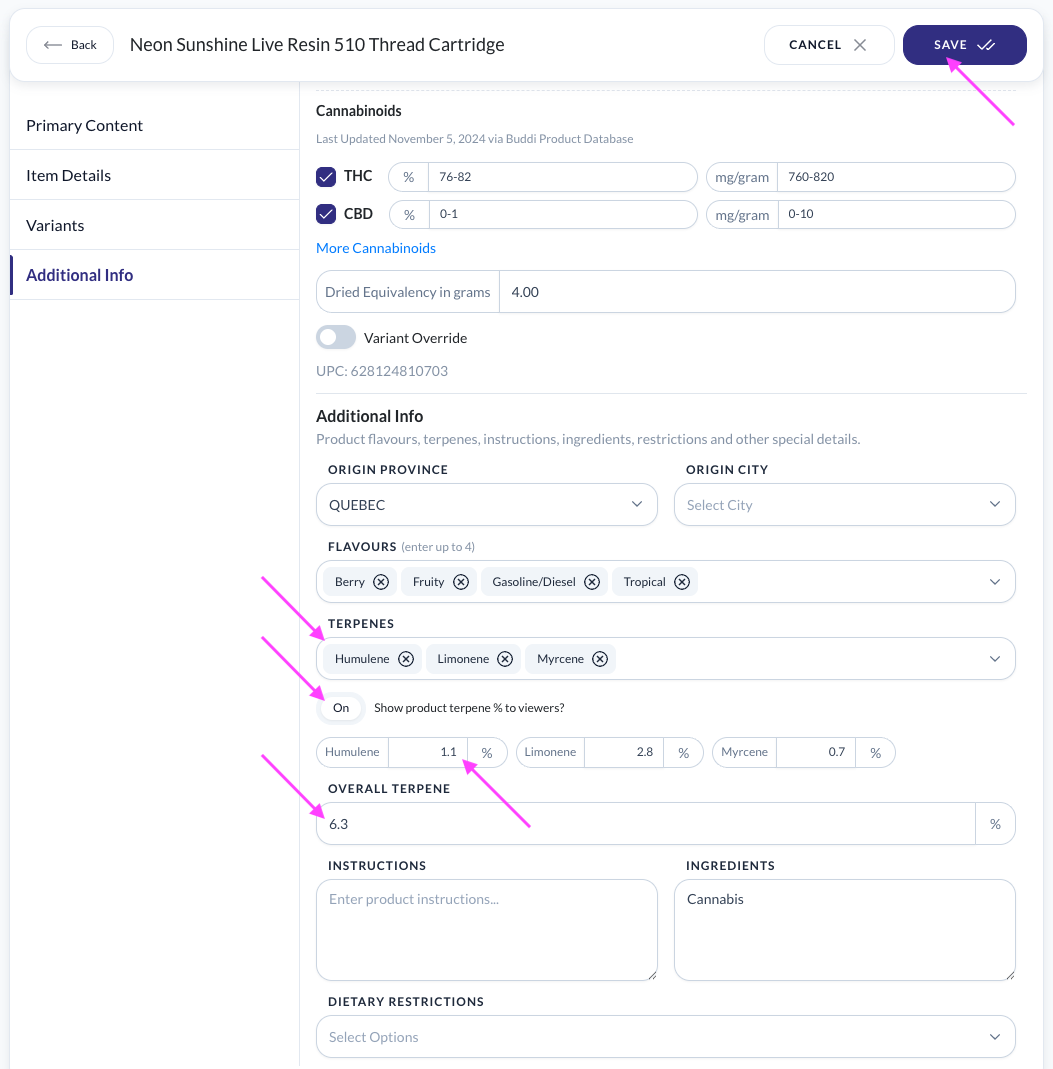
- Scroll down to the Terpenes section
- Hit 'Save' when you are done.
- Refresh your front-end Buddi menu to see the changes.
On the front-end menu listing:
Inside the product detail view:
NOTE: Because terpene content changes batch-by-batch, you will need to update terpene info when new batches or lots are introduced.
Highlight Overall Terpene % Using Special Messages
Optional
As an alternative or add-on, you can use Special Messages to make the terpene % even more visible on your menu:
- Add a message like “Overall Terpenes: 6.3%!” to appear directly on the product tile (above variant & price)
- This gives customers a quick visual cue
- For multi-product highlights, consider pairing with a Collection for easy reuse across other promotional features
Was this article helpful?
That’s Great!
Thank you for your feedback
Sorry! We couldn't be helpful
Thank you for your feedback
Feedback sent
We appreciate your effort and will try to fix the article